UMA as a Service => Cloud Archive
To migrate the UMA Archive to the REDDOXX Cloud environment, the REDDOXX Cloud is naturally required first. It is available either with an M365 integration (this synchronizes users and email addresses from your M365 tenant) or as an OnPrem connection (here, users and email addresses are synchronized to the cloud from a directory service via an LDAP connector).
The migration of the UMA Archive to the REDDOXX Cloud can take place directly via the UMA export to the Cloud Container, this has the advantage that no further intermediate steps are necessary and no additional local storage is required.
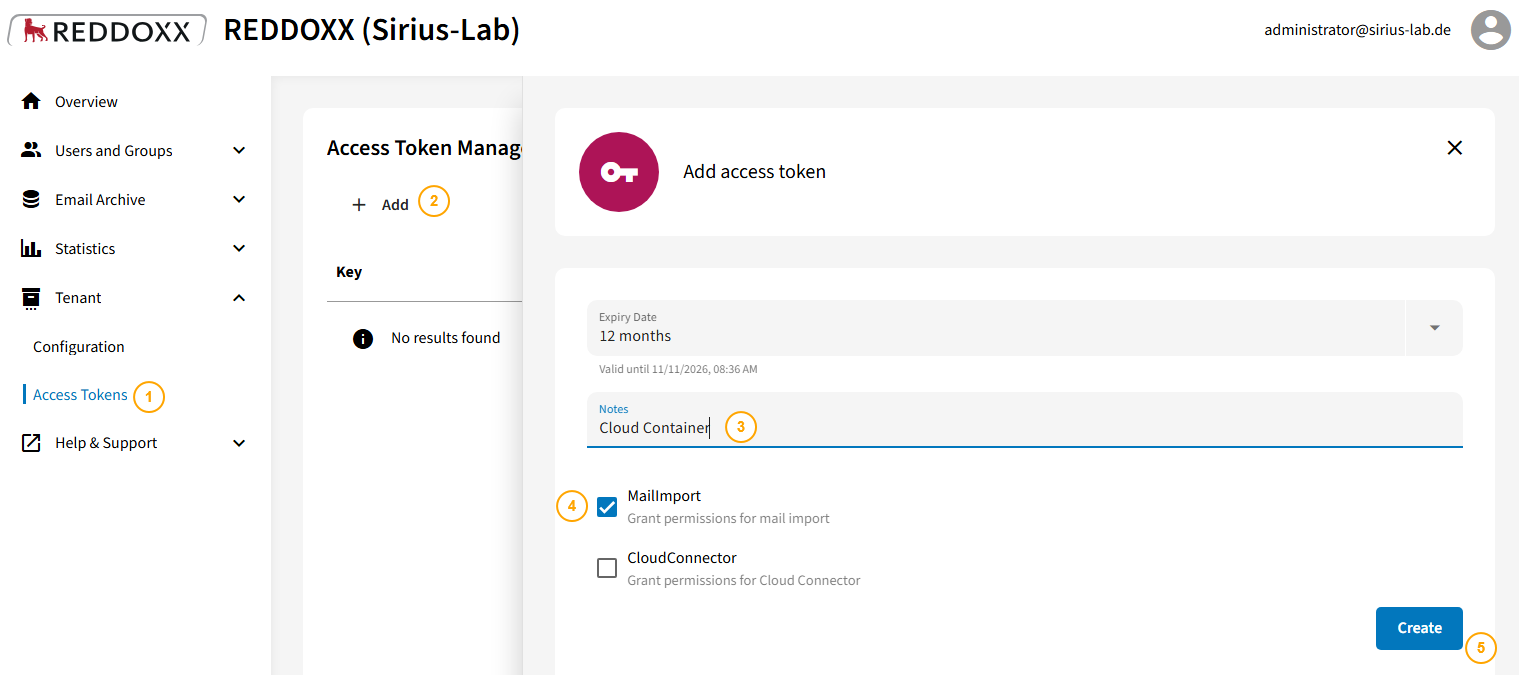
To enable access to the Cloud Container, an access token must be set up in the REDDOXX Cloud.
The following steps are necessary:
- Select Access Tokens in the REDDOXX Cloud
- Click on "Add"
- Assign an appropriate name (e.g., Cloud Container)
- Select the permission "Mail Import"
- Click on Create
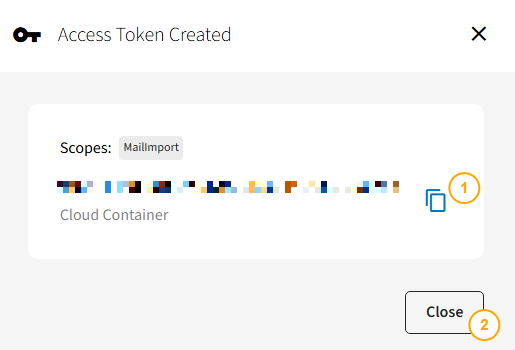
The access token will then appear once:
- Copy the token in the following window
- Confirm with "Close"
For security reasons, it is advisable to set appropriate archiving rules within the tenant.
This is done under Email Archive => Policies.
A total of 4 rules are required, which you can create by clicking Add:
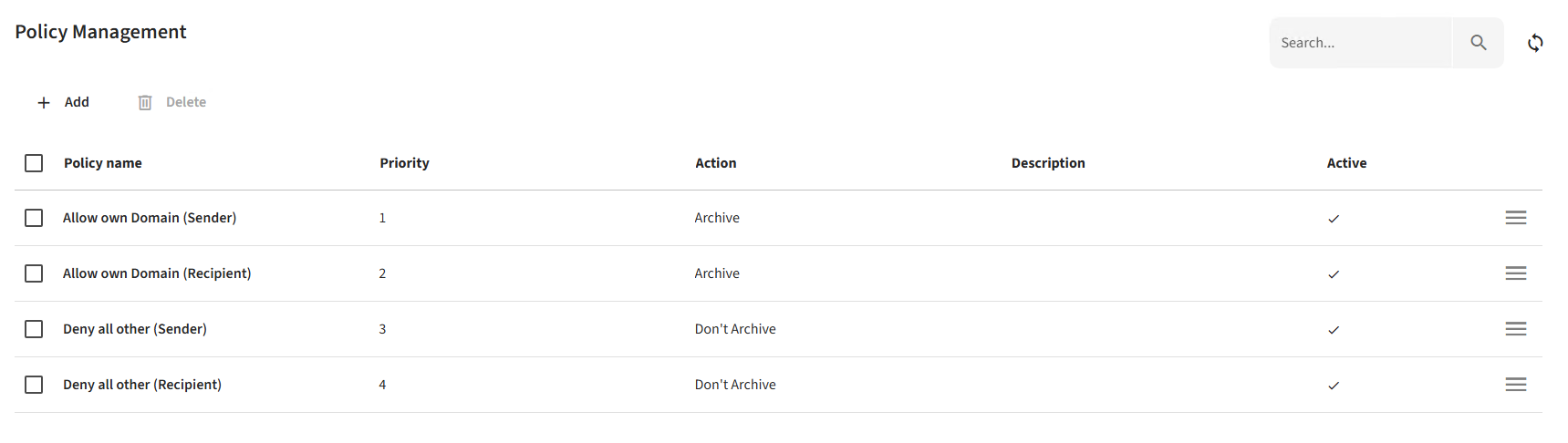
First, you need 2 rules that allow archiving, and then 2 rules that prevent archiving. The order here is important (as the rules are processed from top to bottom).
So first create a rule for your own sender domain(s):
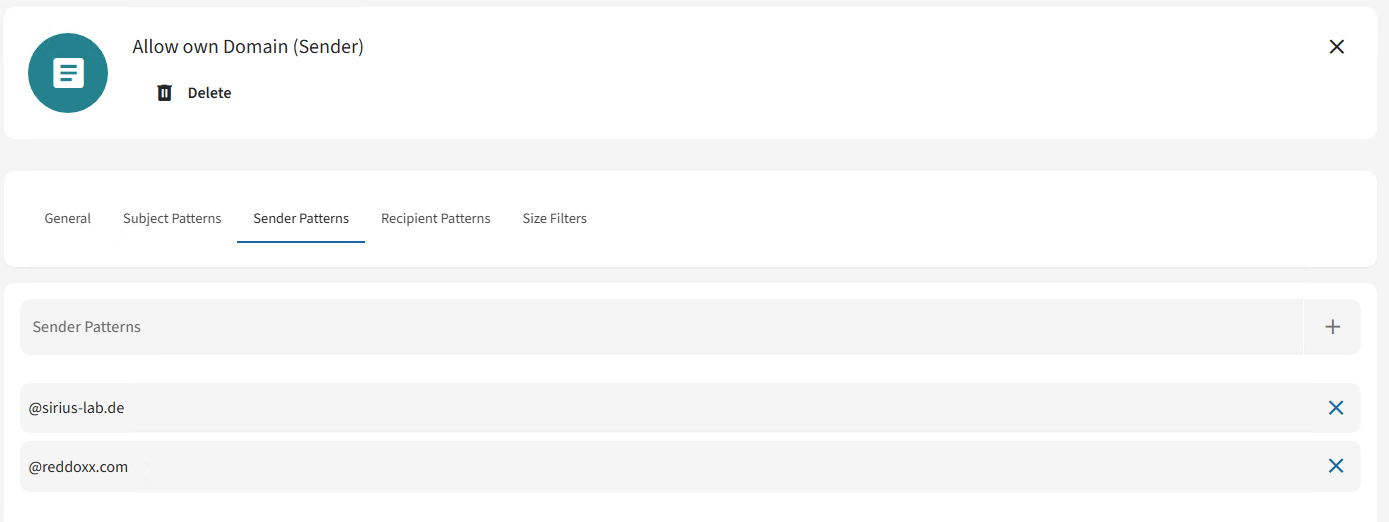
Then a rule for your own recipient domain(s):
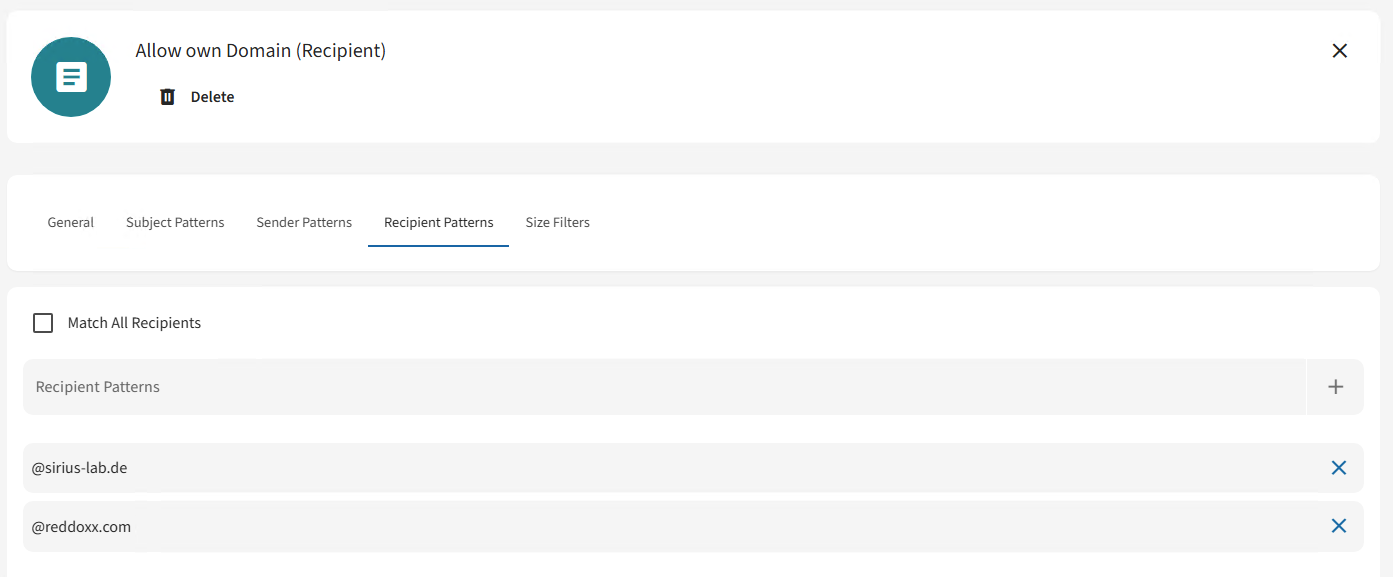
Next, the two rules that prevent archiving for everything else:
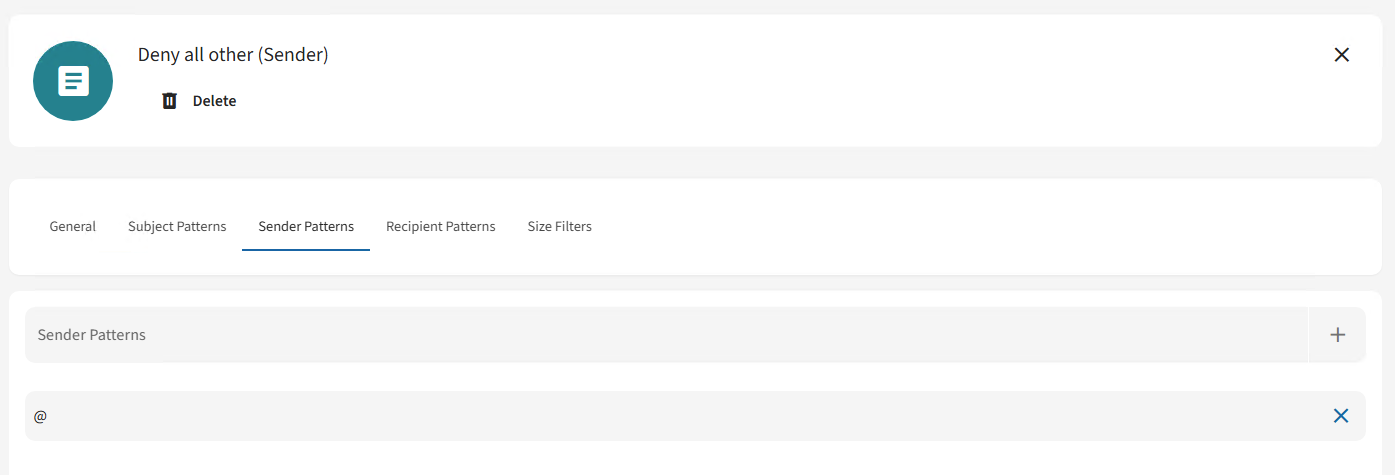
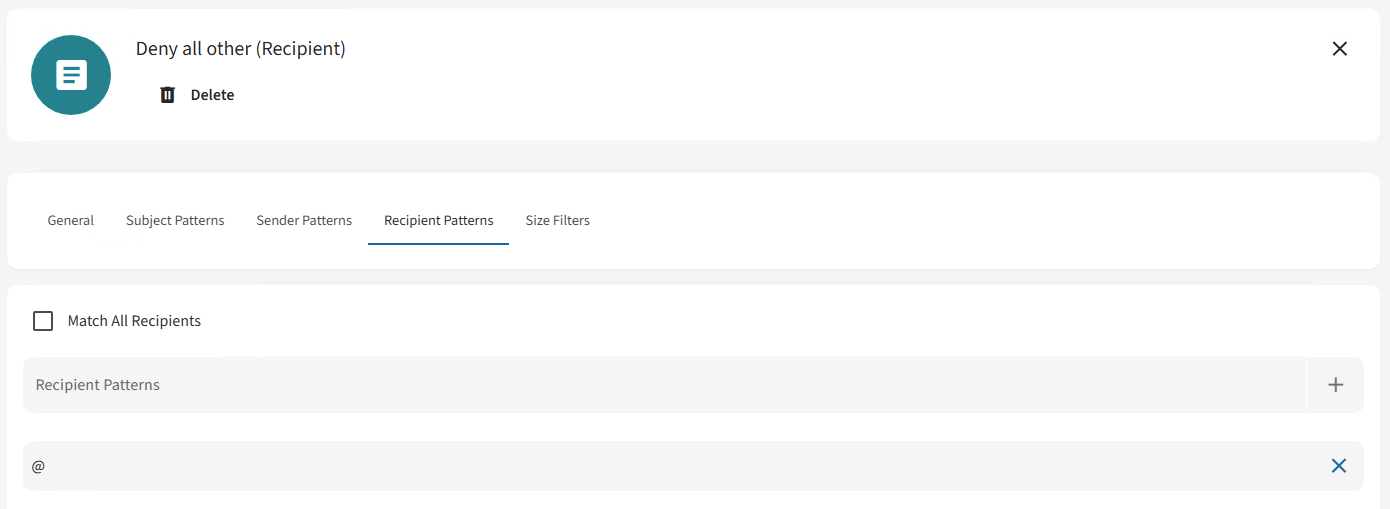
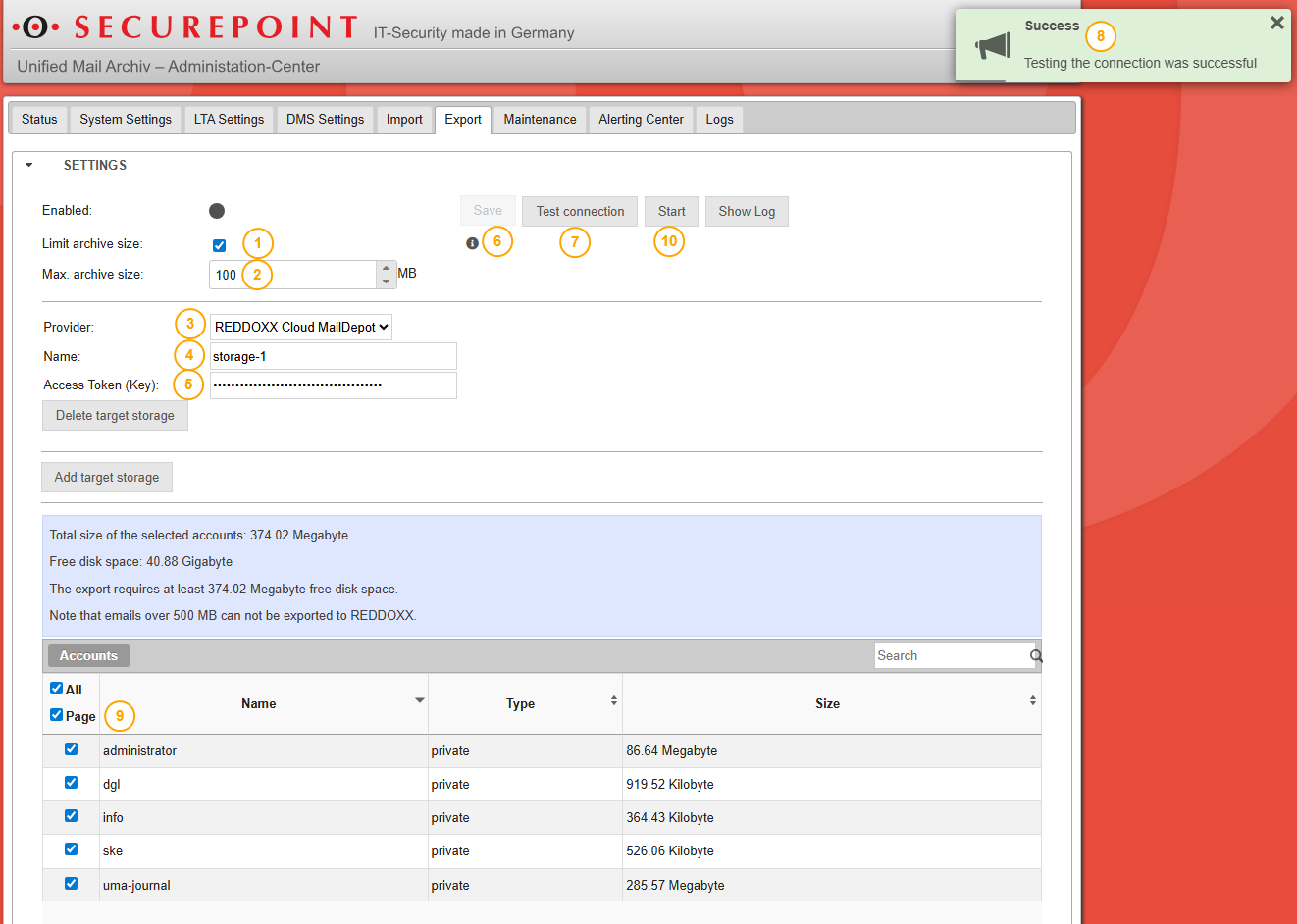
A direct export from Securepoint UMA is possible with the following steps:
- Click on the Export tab and select Limit archive size.
- Set the maximum archive size (we recommend 100 MB, if you encounter upload problems please use 50 MB instead).
- Click on Add target storage and select ‘REDDOXX Cloud Maildepot’ as the provider.
- Assign any name.
- Enter the access token for the REDDOXX Cloud.
- Confirm with Save.
- Test the connection.
- Wait for confirmation that the connection test was successful.
- Select the accounts whose emails are to be archived in the REDDOXX Cloud.
- Click on Start.
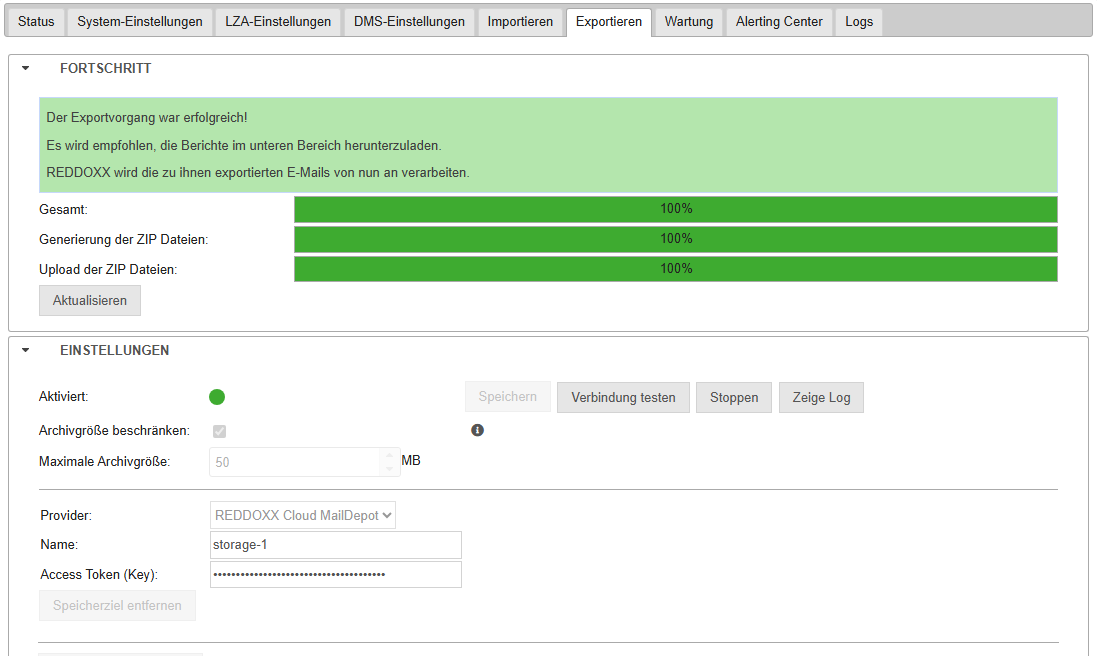
When the export is complete, this will be displayed accordingly in Securepoint UMA:
For further information on the Cloud Documentation (e.g. on logging in and searching via the User APP), please visit:
https://cloud.docs.reddoxx.com/en